Easiest Way to Fix Skin Tones in DaVinci Resolve

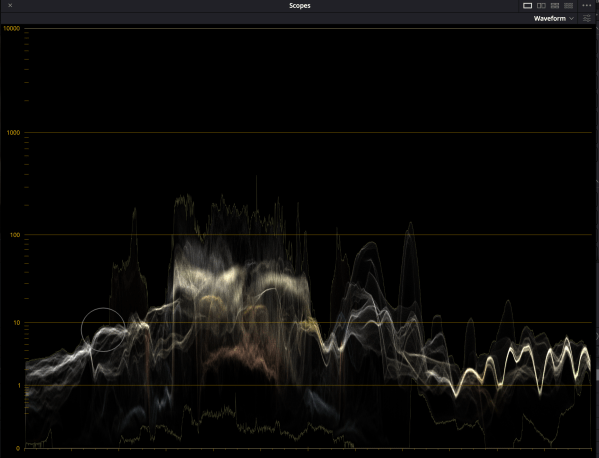
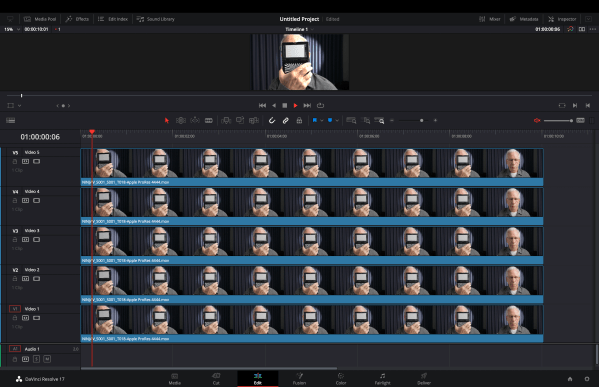
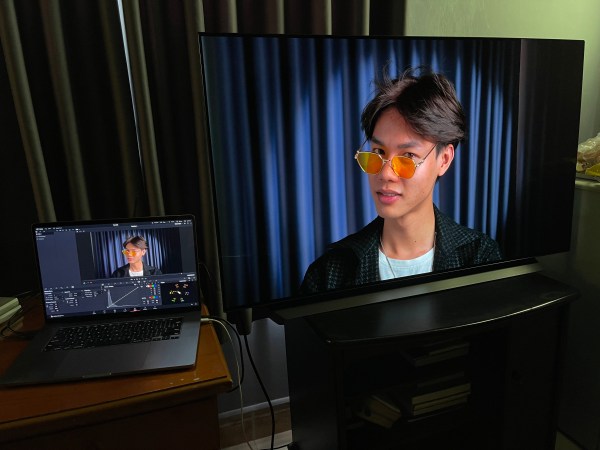
We’ve squandered years watching useless YouTube tutorials on balancing shots and correcting skin tones, futzing around with the color wheels, power masks and hue versus hue, but it's always taken forever, we were always guessing and we were never completely satisfied with the results. So here's what we’re doing now - it's completely predictable, repeatable... Continue Reading →

Noise Reduction in DaVinci Resolve

De-noising is unquestionably high on the list of operations we like the least when it comes to post-production. For one thing, it's extremely taxing on computers, which is why we disable the noise reduction node until we're ready to render the entire project. For another, used incorrectly, it can introduce unwanted artifacts and destroy important... Continue Reading →

Increase Saturation Like a Pro

Ever notice how increasing the saturation of your footage just makes it look more video-ish? Instead of using the saturation knob to increase saturation, how about trying out this method instead: 1. Add a node, right click > Color Space > HSV. 2. Right click again, > Channels > Channel 1 (uncheck). Right click again... Continue Reading →

Create Textural Depth with Depth Map

Grain is one of the key components of the film look but few things are more distracting than seeing clumps of film grain dancing around on the talent's face. One solution is to use the HSL qualifier to isolate skin tones and use the keyer to de-emphasize the grain. An even easier way is to... Continue Reading →

Create Textural Depth!

During an appearance on Cullen Kelly’s Grade School, the brilliant colorist Jill Bogdanowicz revealed a secret to accenting texture without it looking over-processed. While working on Joker, the colorist used Live Grain - which separates out the red, green and blue channels, creating grain that resembles scanned film - to accentuate texture in the cooler,... Continue Reading →

HEVC Main10 vs. HEVC Main 4:2:2 10

A little while back, we reported that Blackmagic Design had added support for HEVC 4:2:2 Main10 on Apple Silicon in DaVinci Resolve. What we didn't realize at the time was that the render page now had three selections for encoding HEVC: Main (8-bit), Main10 (10-bit 4:2:0) and Main 4:2:2 10. Using Invisor, an app brought... Continue Reading →

Sony a7s III Noise: Internal Codec vs. External

Both clips were shot at base ISO 640. The internal codec was XAVC S-I S-Log3/S-Gamut3, the external was ProRes RAW HQ via the Atomos Ninja V which was then transcoded to ProRes 4444 in Apple Compressor. Sony a7s III in-camera noise processing is splotchy and enlargement reveals unsightly banding artifacts, whereas the externally recorded footage... Continue Reading →

Resolve 17 Highlight Bug A Feature?

We wrote about this back in August. Supposedly, Blackmagic was on top of it. The highlight tool hasn’t worked properly when using the HDR panel in Resolve 17 since day one. X-Rite WB Card Power Window + Highlight Tool Adjusting Global wheel in HDR tools breaks highlighter. Adjusting Offset wheel in Primaries, highlight behaves normally.

Mind Saturation & Noise Reduction

Saturation While the extended color volume of HDR results in perceptibly more vibrant colors able to retain saturation and brightness without compromise, it pays to be cautious with saturation. Glowing skin and radioactive foliage are indications that saturation is cranked up too high. To assess saturation, use the vectorscope. In order to see the highlight... Continue Reading →

Do Not Upgrade to Resolve 17.4!

The other day, we cautioned Mac M1 users against updating to Resolve 17.4 because of acknowledged issues with getting HDR on an external display and today we learn that Resolve 17.4 can't export Dolby Vision IMF files. Aaron Hayden, colorist and owner of Color Monkey, writes: "Trying to export a UHD Dolby Vision IMF using... Continue Reading →

Display HDR in DaVinci Resolve Viewer

This post explains how to use the HDR capabilities of an Apple MacBook or iMac built-in display when using DaVinci Resolve and also applies to external HDR capable displays such as the Apple Pro Display XDR, allowing you to preview HDR content directly via the Resolve viewer. The feature is only available on macOS 10.14.6 and above and... Continue Reading →

Walter Volpatto Talks Node Structure

Walter Volpatto, Senior Colorist, Company 3 (Interstellar, Homecoming, Dunkirk), drops so much wisdom in this one hour, 45 min video! There isn't a dull moment, but perhaps the most interesting segment begins at one hour, 27 minutes where the colorist describes how he had to make the digital image match the film print of Dunkirk... Continue Reading →

Blog at WordPress.com.

Up ↑