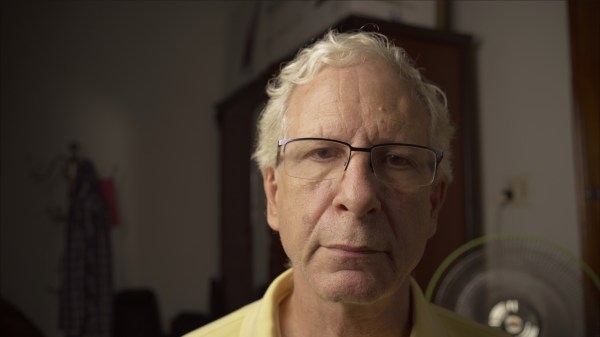
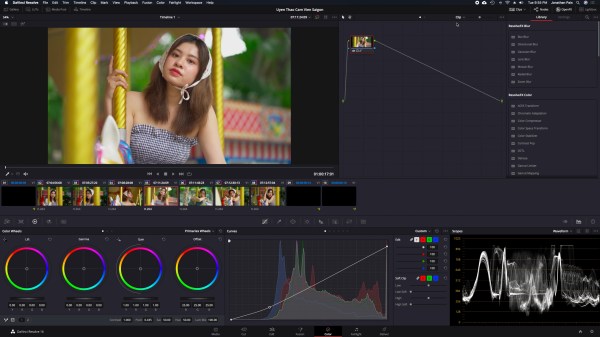
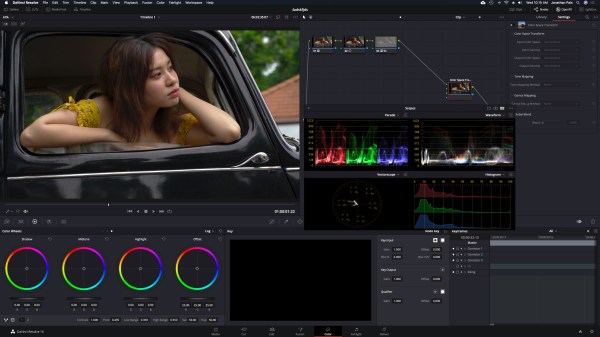
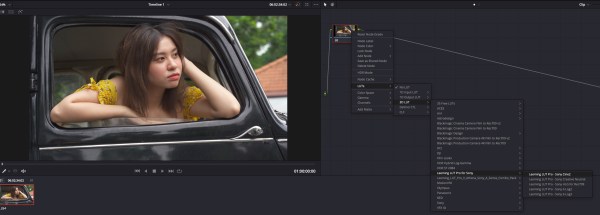
Highlight tool doesn't work when using the HDR panel in Resolve. Surprised it's been out for so long and no one has caught this. X-Rite WB Card Power Window + Highlight Tool Adjusting Global wheel in HDR tools breaks highlighter. Adjusting Offset wheel in Primaries, highlight behaves normally.
Ditching the Video Look
Stuff we're doing differently now from the past: during shooting, avoiding yellow in false color entirely except for specular highlights (aside from the infrequent occasions when we want to purposely blow out highlights); in post, being meticulous about adjusting white balance prior to color correction, even if it's just a few degrees; adjusting yellow, blue,... Continue Reading →
Monster Guide: HDR10 in Resolve Studio 20 (Part III)
Part I: Project settings, Project Render Settings, Generate MaxCLL and MaxFall HDR10 Metadata Part II: RAW Part III: The Grade Part IV: The State of HDR Film Emulation LUTs & Plugins Part V: Why HDR Production Monitors Matter Color separation achieved using Cullen Kelly's Kodak 2383 PFE LUT and the Color Warper Setting A Speed Limit... Continue Reading →
Grading Tools: Final Cut Pro vs. DaVinci Resolve
In his video Color Grading vs. Color Correction, Cullen Kelly's articulation of the difference between Log and gamma sounds uncannily similar to our experience grading HDR footage in Final Cut Pro vs. DaVinci Resolve. "Images can be encoded in a Log or a gamma state. Gamma encoding was devised for preparing an image for viewing... Continue Reading →
DaVinci Resolve Studio 17 HDR Grading Breakdown
Node tree Excessive saturation in the shadows can be unflattering to the talent and clothing and objects in the surroundings can be distracting if left untreated. Reducing saturation is often the preferred method for eliminating unwanted color artifacts in the shadows resulting from extreme color corrections. However, you don't want to desaturate colors all the way to... Continue Reading →
Sony FE 50mm f/1.2 GM First Sample Footage
Our stab at doing a focus breathing test failed miserably, but gives us a pretext to share some screen grabs demonstrating how to expose ProRes RAW HQ. Avoid bright orange and red of the false color guide of the Ninja V. The touch of red at the top of the clothes rack will be a... Continue Reading →
Ninja V False Color
There can never be too many blog posts on exposing for HDR! Ninja V False Color False color is a practically foolproof method for determining exposure for HDR. Avoid bright orange and red - colors that indicate overexposure. DaVinci Resolve 17 waveform before color correction. Although the tee shirt looks completely blown out on our... Continue Reading →
Tribute to Sony a7s III
For a long while now, we've been keenly aware that highlights in skin tones and light-colored fabrics have been difficult if not impossible to recover in post, leading us to re-examine our ETTR method. After watching a video by Gerald Undone, we tried using two zebra settings, aiming for an ETTR of only +1.66 stops... Continue Reading →
Monster Guide: HDR10 in Resolve Studio 20 (Part II)
Part I: Project settings, Project Render Settings, Generate MaxCLL and MaxFall HDR10 Metadata Part II: RAW Part III: The Grade Part IV: The State of HDR Film Emulation LUTs & Plugins Part V: Why HDR Production Monitors Matter Avoid Y’CbCr Limitations of Y’CbCr with wide colour gamut and high dynamic range Quantization distortions due to bit depth... Continue Reading →
Big Announcement!
Now that we were able at last to get our hands on an Arca Swiss QR plate and SmallRig swivel and tilt monitor mount for the Tilta a7s III cage, we've got a very portable setup leaving us no more excuses not to shoot RAW with the Ninja V. So in the coming months, expect... Continue Reading →
Resolve 17 HDR Tools (in HDR!)
Of the hundreds of videos on YouTube promising to demonstrate the spectacular new features in DaVinci Resolve 17, nearly all are in low dynamic range. It's our belief that those who've only watched the LDR tutorials are really being deprived of understanding just how powerful new tools like the Color Warper and HDR Color Palette... Continue Reading →
Monster Guide: HDR10 in Resolve Studio 20 (Part I)
Part I: Project settings, Project Render Settings, Generate MaxCLL and MaxFall HDR10 Metadata Part II: RAW Part III: The Grade Part IV: The State of HDR Film Emulation LUTs & Plugins Part V: Why HDR Production Monitors Matter Note: The information in this guide is continually revised and expanded and the reader is urged to check back... Continue Reading →
DaVinci Resolve 17
For a limited time, purchasers of DaVinci Resolve Studio 17 will receive a free DaVinci Resolve Speed Editor (value $295.00), reason enough to upgrade for many. For me though, it’s all about the new HDR grading tools. When working in Final Cut, I make my basic adjustments (till now I haven’t done any proper grading!)... Continue Reading →
Great Skin Tones With DaVinci Resolve & Leeming LUT Pro
Shot with the Sony a7 III and S-log2. https://youtu.be/BLngo0vEX3w
Using Curves in DaVinci Resolve
I got this tip from watching Learn Color Grading. https://youtu.be/GobsguO5sfQ
Alpha Cameras Just Got A Whole Lot Better
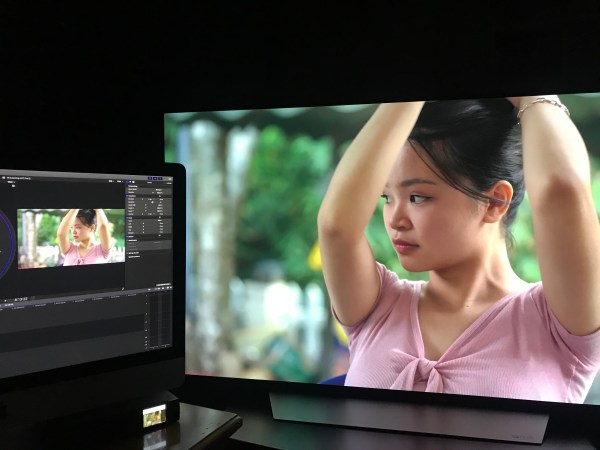
With the release of Paul Leeming's 'Athena' LUT, Sony Alpha cameras now have dazzling color. The video was shot with the a7 III, Sony 85mm f/1.8, Cine2 picture profile and edited in DaVinci Resolve using an LG OLED as a grading monitor. https://youtu.be/GC3kx9BJW_o
Leeming LUT Pro ‘Athena’
Alongside the newly released Pro II LUTs, Paul Leeming has also given us Athena LUTs, which he says "are a brighter version of Pro II, designed around placing middle grey (also known as 18% grey) at the 50% IRE level after the LUT has been applied, while retaining the same perfect colorimetry". Both Athena and... Continue Reading →
So Long, Washed-Out YouTube Videos! (DaVinci Resolve)
Update 2022.01: Cullen Kelly just released a free LUT created to counteract the washed-out look when uploading SDR videos to YouTube and Frame.io. We haven't used it yet ourselves, but you might want to give it a try and let others in the community know if it works for you. If you're still trying to... Continue Reading →
DaVinci Resolve Tips For Beginners
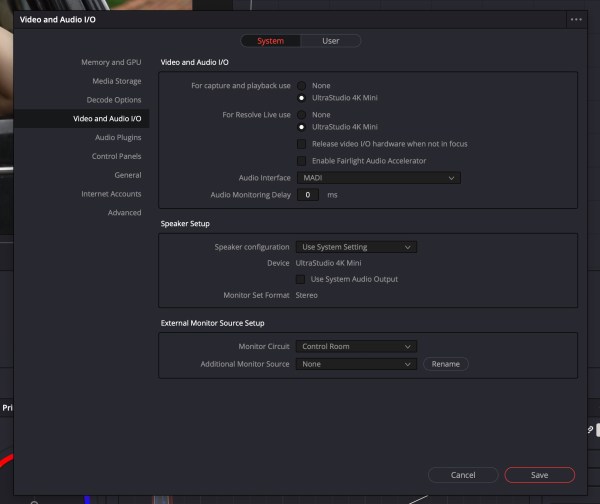
Here are three tips for setting up Preferences for those just starting out with DaVinci Resolve. Go into Resolve Preferences to enable UltraStudio 4K Mini. Check Live Save and Project Backups to safeguard your work. Sign in to your YouTube or Vimeo account.