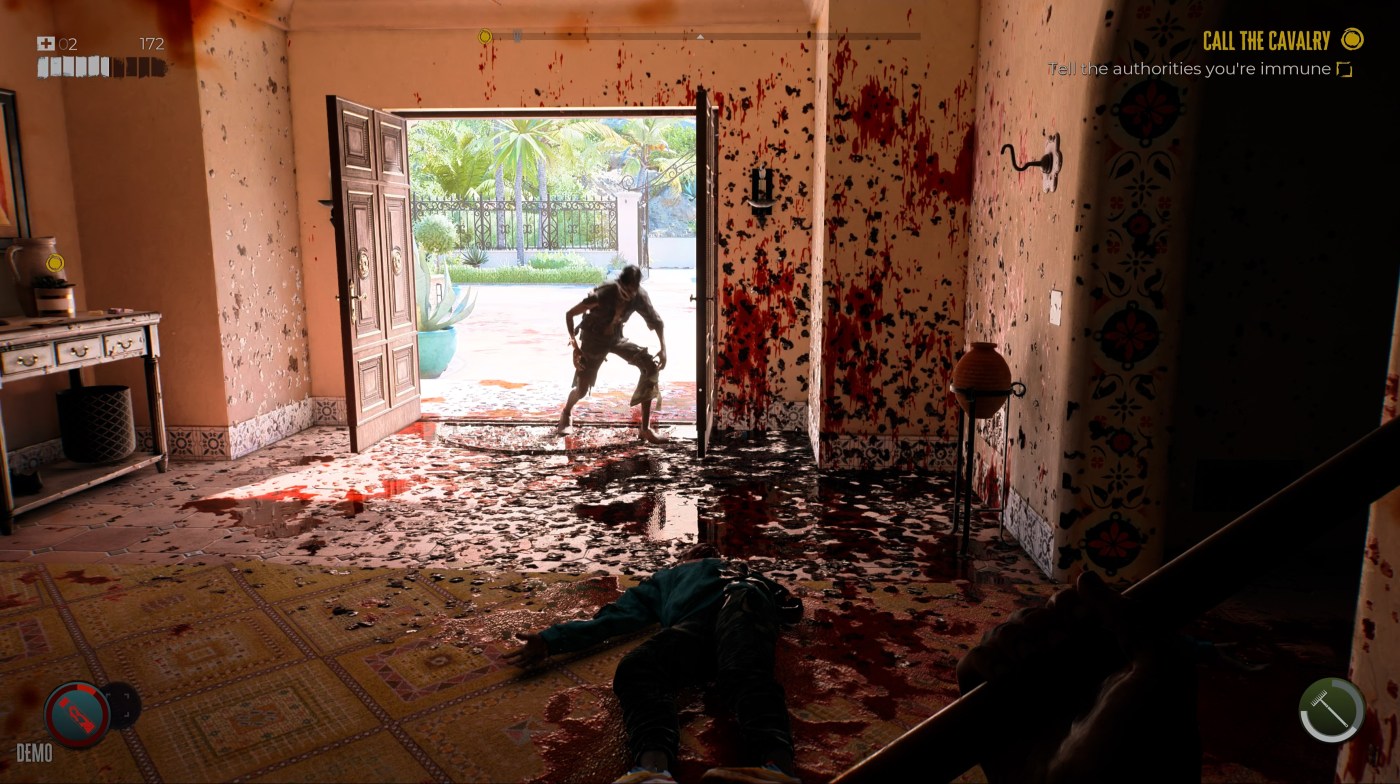
“The next setting what we have is the Brightness setting, responsible for the overall brightness in the game. The standard factory setting is 25 and I found this actually a very good value to start with. I wouldn’t increase or decrease this value too much because either you get Black Level crush or you have a very washed out picture.”
– GamingTech YouTube channel (April 21, 2023)
Gaming HDR analysts advise setting the in-game White Point slider of Dead Island 2 to 1150, claiming it’s needed to unlock 1,000-nit highlights. They also recommend setting Brightness to 25, unironically stating that it represents “a balanced exposure for the game,” or warning that significantly reducing it results in black crush. None of these claims holds up to scrutiny. Incidentally, it’s not uncommon for these experts to assert that the peak brightness slider fails to hit its target when in fact it does.
“The game has a good HDR implementation providing different in-game HDR controls including “White Point” or Peak HDR Luminance which can go up to 2.000 nits, but those values does not represent accurately what is seen in-game.”
– P40L0, HDR: Optimized (April 21, 2023)
More is better
Those recommendations, founded on the seriously flawed philosophy that brighter is better, will inevitably cause the ABL (Auto Brightness Limiter) of many/most consumer devices to persistently dim the display. Another data point: the game features an instant-respawn system during which the picture momentarily flashes full screen peak white.
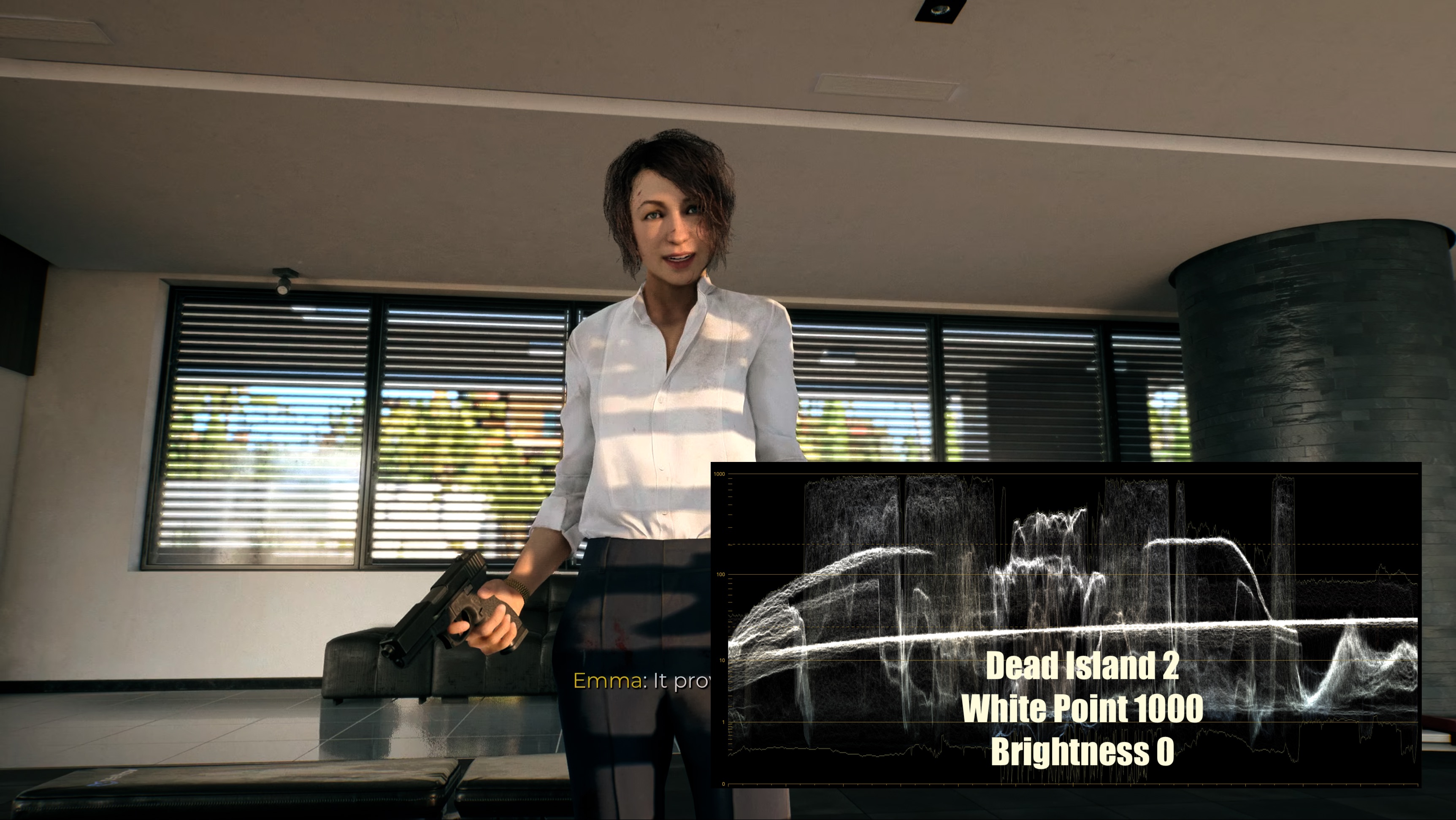
“When I set the game to 1,000 nits, I measured around 800-900 nits in specular highlights, so this doesn’t match up.”
– GamingTech YouTube channel (April 21, 2023)
Concerning the nonexistent black crush issue, the game features eye adaptation (autoexposure): areas in deep shadow brighten as the player approaches, while dark areas outside the intended path or characters in shadow that players aren’t supposed to interact with (or a lurking zombie!) remain dark. Conversely, when going from a dark environment to a bright one, the game engine automatically adjusts the scene’s exposure to compensate.
“In all cases leave “BRIGHTNESS” to its Default value of 25, UI BRIGHTNESS at 0 as those already represent a balanced exposure for both the game and interface.”
– P40L0, HDR: Optimized (April 21, 2023)
In any case, players are provided with a flashlight with an unlimited battery to navigate dark areas should autoexposure fail to kick in (on the PS5, press the Up button on the D-pad).
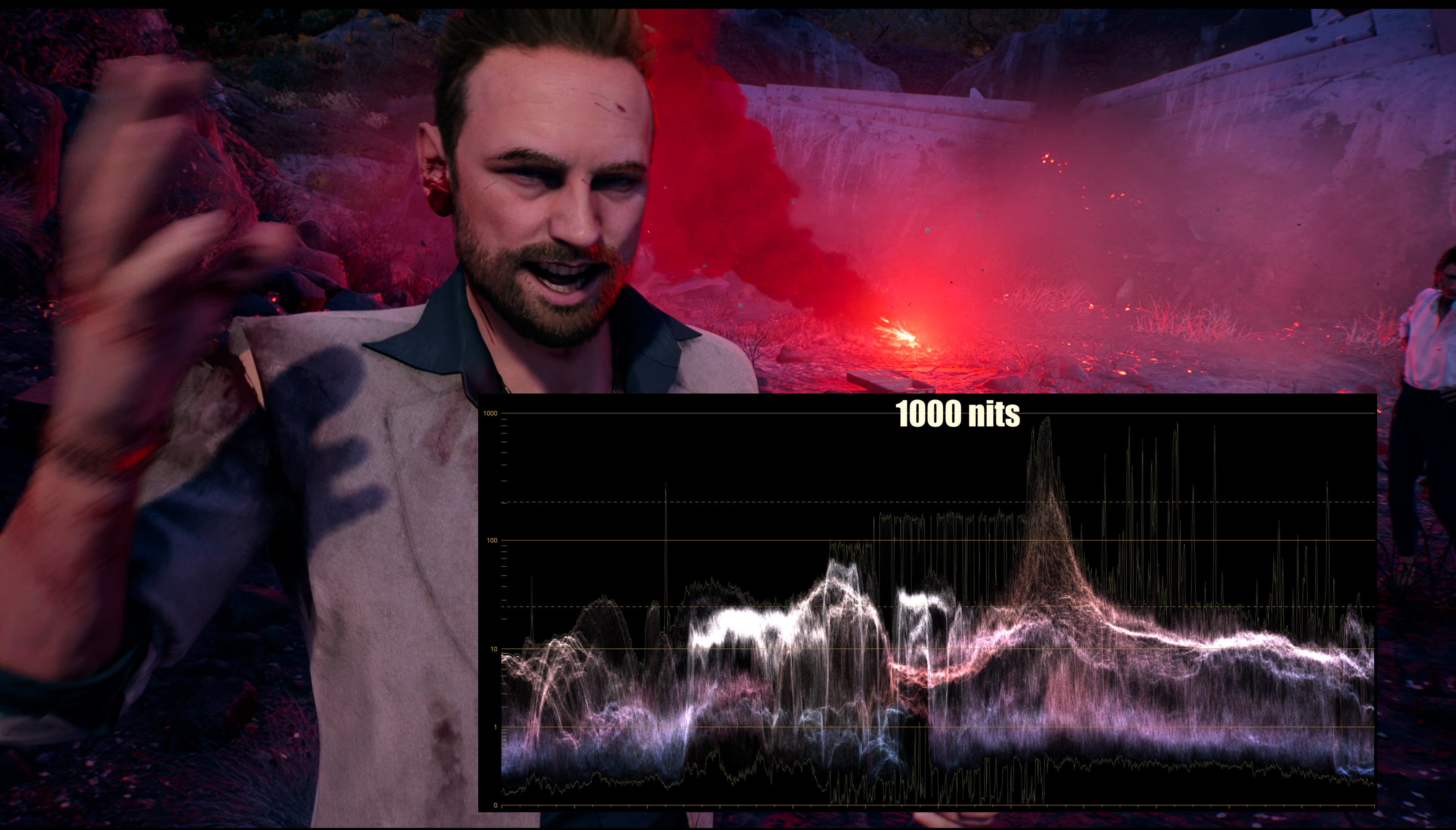
Dead Island 2 absolutely does hit 1000 nits when White Point is set to 1000 – even when Brightness is set to zero! (tap image to enlarge)
HDR Calibration Strategy
1. Match the White Point to your panel’s peak luminance.
2. Manage APL (Average Picture Level) with the Brightness slider to minimize ABL dimming.
If your display has a peak luminance of 1,000 nits and you game in controlled lighting, leave the White Point slider at 1000 (default) and the Black Point slider at 0 (default). Reduce Brightness to 0 from 25 and UI Brightness to 0 from 54.
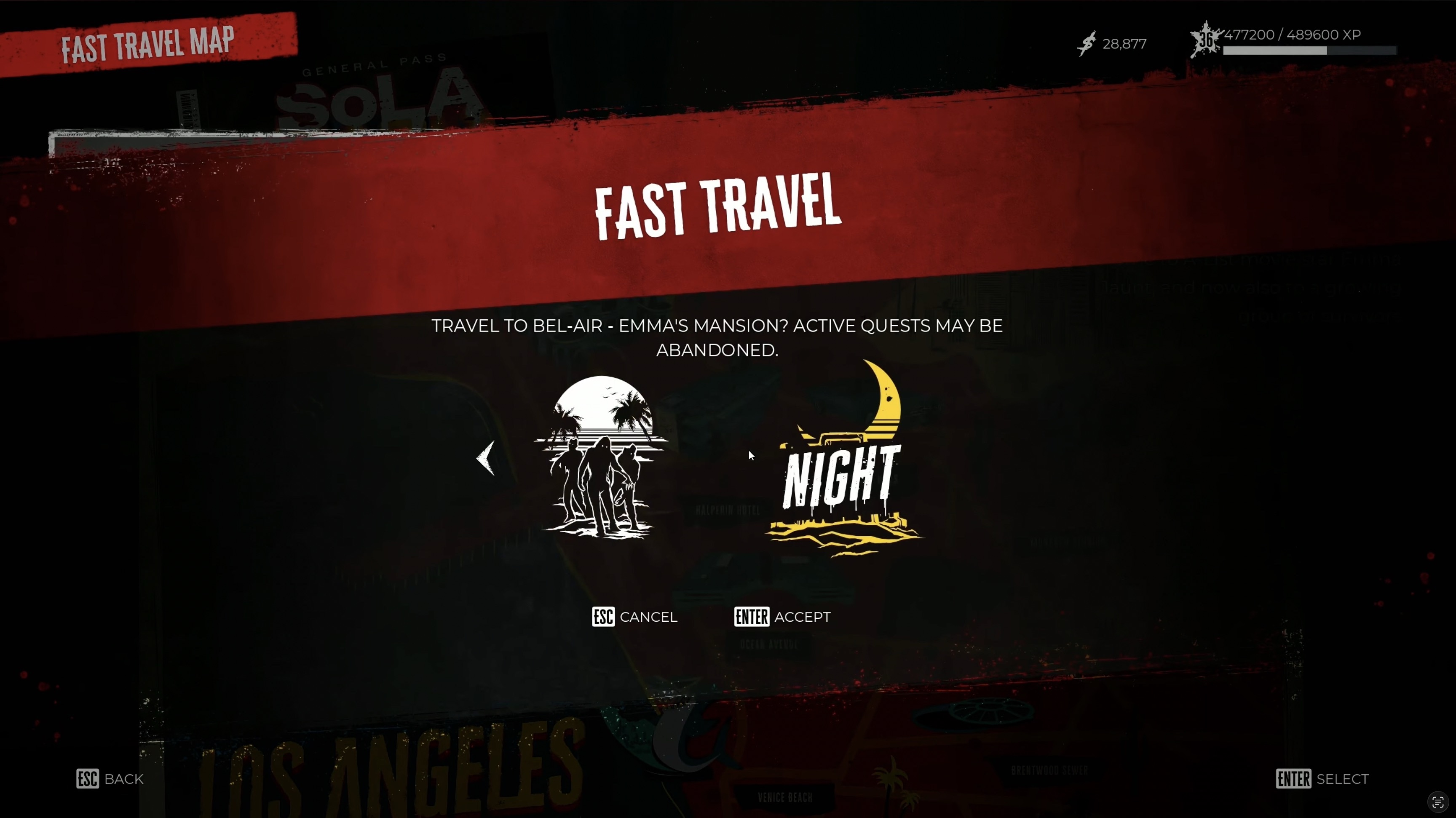
TIP: Fast travel unlocks after Main Mission 14, allowing you to complete optional Side Quests at night. This will minimize ABL.
Unlocking Fast Travel and Time Choice
- Complete Main Mission 14, “The Red Mist,” in Venice Beach.
- Select your destination district.
- Set the time to “Night” before confirming the trip.
Note: Gameplay footage above captured on PS5, in-game White Point 950, Brightness 0. Screengrabs are with White Point set to 1000, Brightness set to 0.

